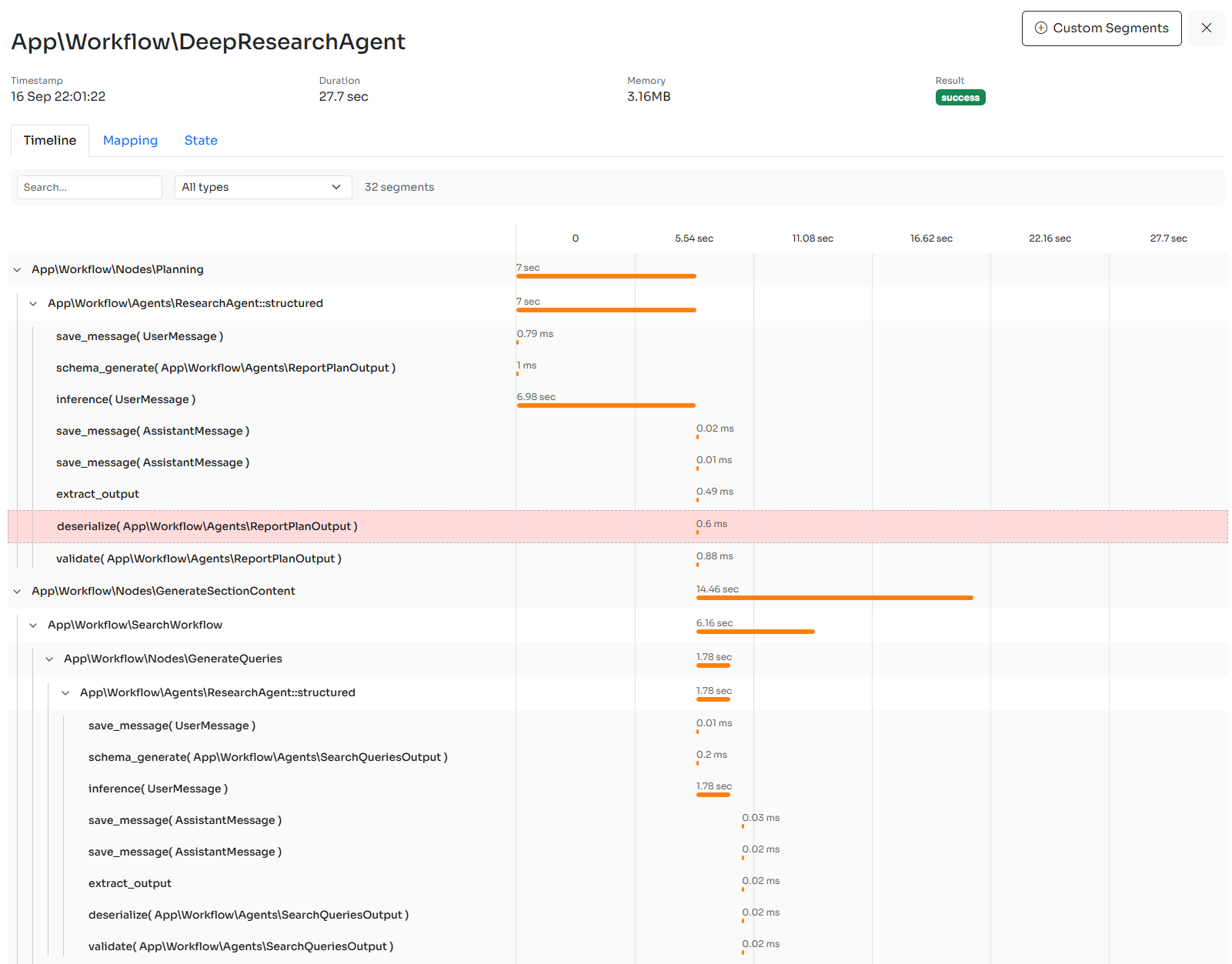
> For the complete documentation index, see [llms.txt](https://docs.neuron-ai.dev/llms.txt). Markdown versions of documentation pages are available by appending `.md` to page URLs; this page is available as [Markdown](https://docs.neuron-ai.dev/neuron-v4/agent/observability.md).
# Monitoring & Debugging
Monitor your AI Agents, RAGs, and Workflows in real-time.
The [Inspector](https://inspector.dev/) team designed Neuron with built-in observability features, so you can monitor AI agents running, helping you maintain production-grade implementations with confidence.
### Subscribing Listeners
Listeners are class-keyed with instanceof matching — subscribe to a specific event class, or to `ObservabilityEvent::class` to receive everything:
```php
use NeuronAI\Observability\Events\InferenceStop;
use NeuronAI\Observability\ObservabilityEvent;
// React to one event type
$agent->subscribe(InferenceStop::class, function (InferenceStop $event): void {
// do something...
});
// Catch-all events
$agent->subscribe(ObservabilityEvent::class, function (ObservabilityEvent $event): void {
echo "Event: {$event->name()}\n";
echo "Source: " . ($event->source !== null ? $event->source::class : 'n/a') . "\n";
});
```
#### Custom Events
Emit your own events from nodes with `Node::emit()` — the event object is the payload. Extends `ObservabilityEvent` :
```php
use NeuronAI\Observability\ObservabilityEvent;
class DocumentScored extends ObservabilityEvent
{
public function __construct(public string $documentId, public float $score)
{
}
}
// Inside a node
$this->emit(new DocumentScored($doc->id, $score));
// Anywhere
$workflow->subscribe(DocumentScored::class, fn (DocumentScored $e) => $metrics->gauge('score', $e->score));
```
#### Integrating a Host Framework
Forward every event to an application-wide PSR-14 dispatcher (Symfony, Laravel's PSR bridge, League\Event) — Neuron events become regular application events:
```php
$agent->setEventDispatcher($appEventDispatcher);
```
### Install Inspector
Connect your Neuron AI Agents, RAG, or Workflow to the Inspector monitoring dashboard:
{% embed url="" %}
After connecting you app to Inspector when your agents are being executed, you will be able to explore the details of their inference steps, tool calls, and more.
If you want to monitor the whole application you can install the Inspector package based on your development environment. We provide integration packages for [PHP](https://github.com/inspector-apm/inspector-php), [Laravel](https://github.com/inspector-apm/inspector-laravel), [Symfony](https://github.com/inspector-apm/inspector-symfony), [CodeIgniter](https://github.com/inspector-apm/inspector-codeigniter), [Drupal](https://docs.inspector.dev/guides/drupal). Check out them on our [GitHub organization](https://github.com/inspector-apm).
### Create An Ingestion Key
To create an Ingestion key head to the [**Inspector dashboard**](https://app.inspector.dev/register) and create a new app.
{% hint style="success" %}
For any additional support drop in a live chat in the dashboard. We are happy to listen from your experience, find new possible improvements, and make the tool better overtime.
{% endhint %}
### Register the Inspector Listener
If your application doesn't have a specific integration with PHP environment variables, you can inject the `InspectorListener` component into the agent programmatically, passing the ingestion key generated in the dashboard:
```php
use NeuronAI\Observability\InspctorObserver;
/*
* Inject at runtime
*/
$message = MyAgent::make()
->subscribe(
ObservabilityEvent::class,
InspctorObserver::instance('INSPECTOR_INGESTION_KEY')
)
->chat(...)
->getMessage();
/*
* Setup the listener once into the agent constructor
*/
class MyAgent extends Agent
{
public function __construct()
{
parent::__construct();
$this->subscribe(
ObservabilityEvent::class,
InspctorObserver::instance('INSPECTOR_INGESTION_KEY')
);
}
}
```
## Logging
If you want to report agent activity into your log system you can attach the built-in `LogListener` to your agent passing an instance of a PSR `LoggerInterface` compatible logger, like monolog for example:
```php
use NeuronAI\Observability\LogListener;
use NeuronAI\Observability\ObservabilityEvent;
$message = MyAgent::make()
->subscribe(ObservabilityEvent::class, new LogListener($logger))
->chat(...)
->getMessage();
```
All itnernal events with their payload will be logged.